

What is data enrichment? Data enrichment is the process of adding missing, verified details to the records you already hold, so a bare name and email address becomes a contact you can actually qualify, route and reach. It fills gaps. It does not fix errors, which is the job of data cleansing, and it does not prove a detail is still true, which is the job of verification.
Most teams meet enrichment the hard way. A webinar brings in four hundred sign-ups, the export lands in the CRM, and half the rows have a first name, a Gmail address and nothing else. Sales cannot tell which ones are worth a call. Marketing cannot segment them. The records sit there, technically "leads," practically useless.
We sell contact data to teams that sell into the IT channel: vendors, distributors and agencies trying to reach managed service providers, MSSPs, VARs, ISVs and UCaaS providers. Enrichment is a large part of what those teams ask us for, and it is also where we see the most confusion about what a vendor is actually delivering. This guide explains what data enrichment is, the types that matter for B2B, real before-and-after examples, how it differs from cleansing and verification, and how to test an enrichment vendor before you hand over a budget.
What is data enrichment, in plain terms?
Data enrichment means appending new attributes to an existing record from a second, trusted source. You start with what you have, match it to a fuller record somewhere else, and copy across the fields you were missing.
Think of a single contact row. Before enrichment it might hold a name and an email address. After enrichment the same row carries a job title, a direct phone number, the company's website, headcount band, industry code, headquarters city, and, for technology buyers, the software the company runs. Nothing about the original two fields changed. The row simply got more useful.
Three things have to happen for that to work:
- A match. The enrichment source has to find the same person or company you have. Matching usually runs on an email address, a company domain, or a combination of name and company. If the match is wrong, every field you append is wrong too.
- An append. The new fields are written into your record, ideally without overwriting good data you already trust.
- A check. The appended details should be confirmed as current before anyone acts on them. An enriched phone number that rings a former employee is worse than an empty field, because it looks finished.
That third step is where enrichment services differ most. Some append whatever their database holds. Others confirm the new details before delivery. We come back to this in the section on choosing a vendor, because it decides whether enrichment helps your pipeline or quietly fills it with confident mistakes.
Why does data enrichment matter for B2B teams?
Enrichment matters because B2B decisions run on fields most records do not have. You cannot score a lead on company size if you do not know the company size. You cannot route an account to the right territory without a location. You cannot write a relevant first email to an MSP if you do not know whether it focuses on healthcare clinics or manufacturing plants.
In practice, enrichment pays off in five places:
- Lead scoring and routing. Firmographic fields such as headcount, industry and region let your scoring model separate a ten-person shop from a two-hundred-person provider, and send each to the right rep.
- Segmentation. Campaigns built on enriched fields can speak to one audience at a time, for example MSPs that also resell security, or ISVs selling payment software, instead of everyone at once.
- Shorter forms. If you can enrich after capture, you can ask for less at capture. A two-field form usually converts better than a nine-field one, and enrichment supplies the rest.
- Personalization that is grounded. A message that references a prospect's actual stack or vertical reads as research, not a template.
- Account context for sales. Reps spend less time looking companies up and more time talking to them.
There is a quieter benefit too. Enriched records make gaps visible. Once you know which accounts are missing a decision maker, you know where to point your custom data research effort instead of guessing.
What are the main types of data enrichment?
The main types of B2B data enrichment are contact, firmographic, technographic, geographic, intent or behavioral, and role or hierarchy enrichment. Consumer-focused guides also list demographic and psychographic enrichment, but those rarely apply to selling into businesses.
| Type | What it adds | What it lets you do |
|---|---|---|
| Contact enrichment | Work email, direct dial, mobile, LinkedIn profile, job title | Reach the person, not the switchboard |
| Firmographic enrichment | Industry, NAICS or SIC code, headcount band, revenue band, founding year, ownership | Score, segment and size accounts |
| Technographic enrichment | Software and platforms the company runs, such as its CRM, PSA, RMM, cloud and security tools | Target compatible stacks and time displacement offers |
| Geographic enrichment | Headquarters address, branch locations, time zone, country | Route territories and respect regional rules |
| Intent and behavioral enrichment | Topics an account is researching, engagement with your content | Prioritize who to call this week |
| Role and hierarchy enrichment | Seniority, department, reporting line, other buying-committee members | Reach the decision maker and the people around them |
Contact enrichment
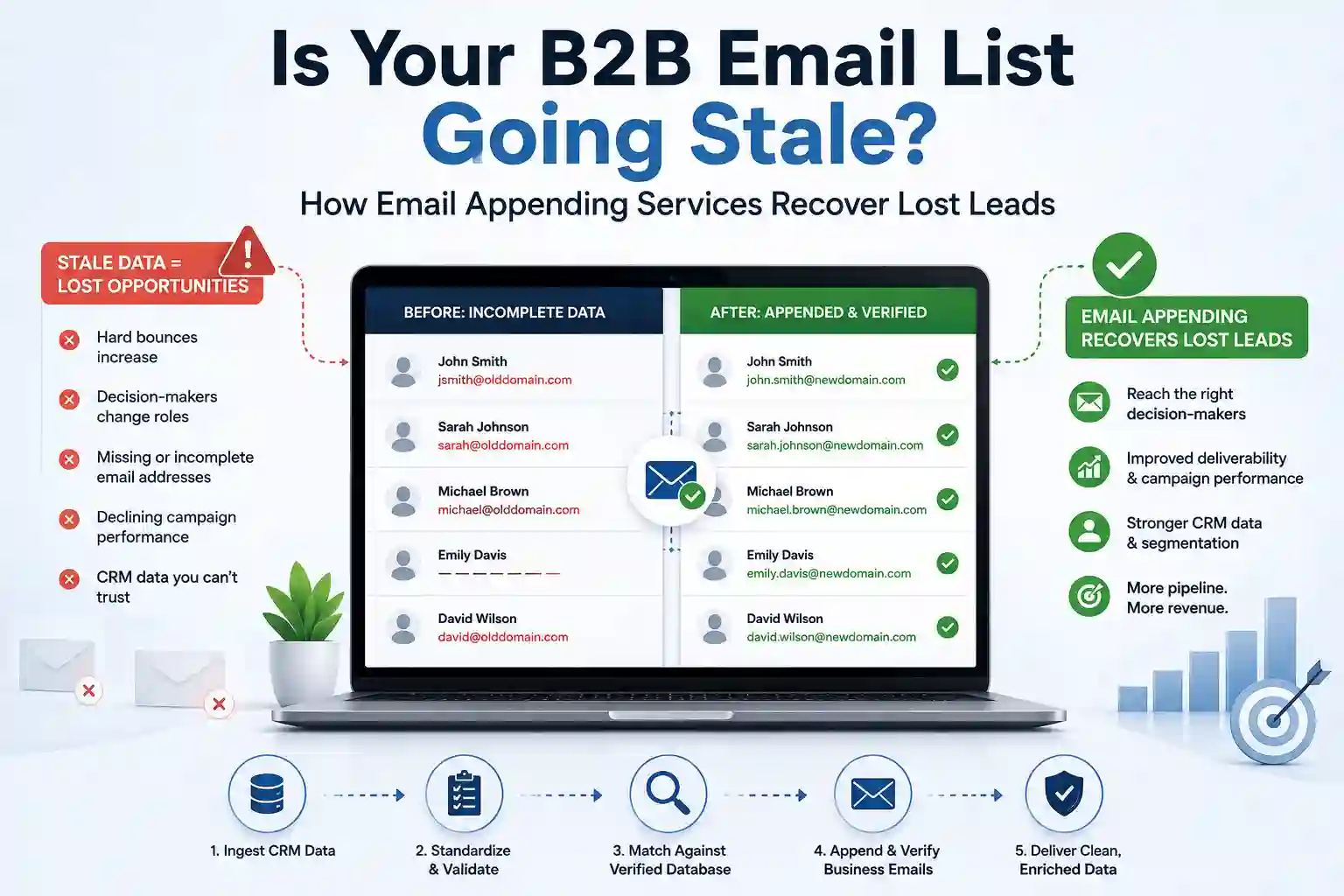
Contact enrichment adds the details you need to reach a named person: a work email, a direct phone line, a mobile number where it is lawful to use, and a confirmed job title. Two specialist forms sit inside it. Email appending finds a work email for a contact you know by name and company. Phone appending does the same for direct dials. If those are the gaps in your file, email appending services built for B2B lists are the narrow tool for the job.
Firmographic enrichment
Firmographic enrichment describes the company rather than the person. Industry is usually expressed as a code from the North American Industry Classification System, maintained by the US Census Bureau's NAICS program, or the older SIC system. Add headcount and revenue bands and you can tell a small provider from a regional one at a glance.
Technographic enrichment
Technographic enrichment records which technologies a company uses. For channel sellers this is often the most valuable field in the record. A backup vendor wants MSPs that already run a particular remote monitoring platform. A security vendor wants providers whose stack shows they deliver managed detection. Our technology users data exists for exactly this kind of targeting.
Geographic enrichment
Geographic enrichment adds where a company and its people are. It matters for territory routing, for sending at a sensible local hour, and for compliance, because the rules for a contact in Ontario differ from the rules for one in Ohio or Lyon.
Intent and behavioral enrichment
Intent enrichment flags accounts that appear to be researching a topic right now. It is useful for prioritizing, but treat it as a signal, not a fact. It tells you an account might be in market. It does not tell you who in the account is reading.
Role and hierarchy enrichment
Role enrichment fills in seniority, department and the other people involved in a purchase. Selling into a 40-person MSP often means reaching the owner, the head of service delivery and the person who runs the technical stack. Enrichment that only returns one contact per company leaves the rest of that committee dark.
Data enrichment examples: what does a record look like before and after?
The clearest way to understand enrichment is to watch one record change. Here are four examples we see often. The names and companies are illustrative, but the patterns are real.
Example 1: A webinar sign-up with two fields
| Field | Before | After enrichment |
|---|---|---|
| Name | Dana Ortiz | Dana Ortiz |
| dana@northbeamit.com | dana@northbeamit.com | |
| Job title | (empty) | Director of Service Delivery |
| Company | (empty) | Northbeam IT, managed service provider |
| Headcount band | (empty) | 20 to 49 employees |
| Location | (empty) | Columbus, Ohio, United States |
| Direct phone | (empty) | Verified direct line |
| Stack notes | (empty) | PSA and RMM platforms identified |
The original two fields never changed. Everything sales needs to decide whether Dana is worth a call was appended from a matched company and contact record. Notice the match key here: the company domain in the email address. That is why a personal Gmail sign-up is so much harder to enrich than a work address.
Example 2: A trade-show badge scan with the wrong title
Badge scans often carry the title the person typed when they registered, which can be months old or simply vague, such as "Manager." Enrichment replaces the vague value with the current, standardized title and adds seniority and department. This one sits on the border with cleansing, because a field was improved rather than added. Good vendors tell you which fields they overwrote and which they filled, so you can audit the change.
Example 3: An account list with no contacts
A channel team has a list of 300 target MSPs by company name and website, and no people. Account-level enrichment adds firmographics to each company. Contact-level enrichment then finds the owner, the technical lead and the sales lead at each one. This is the most common request we get, and it is the point where enrichment turns into list building. If you are starting from company names only, our MSP database with verified MSP contacts often gets you further, faster, than enriching a hand-built list.
Example 4: A CRM full of bounces
A marketing operations lead exports every contact that hard-bounced in the last two quarters. Enrichment re-matches each person, finds that many have moved to new companies, and returns their new work email alongside a replacement contact at the old company. This example mixes three processes. Cleansing flags the bounced record. Enrichment supplies the new details. Verification confirms the new email works before anyone sends to it.
Data enrichment vs data cleansing: what is the difference?
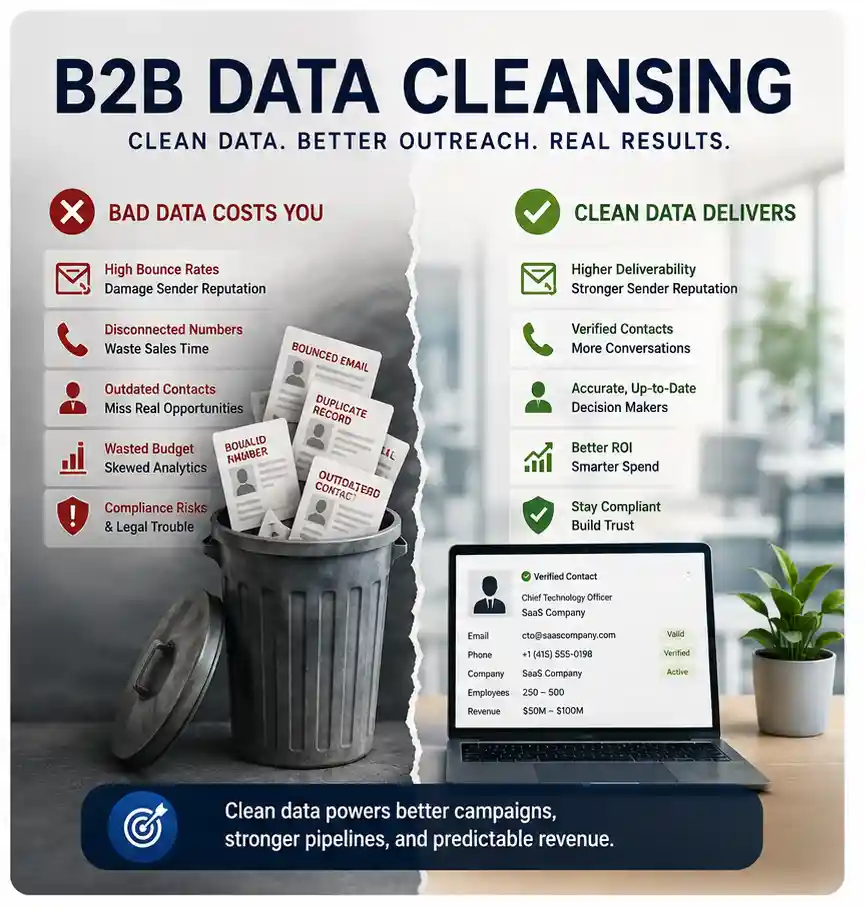
The difference between data enrichment and data cleansing is direction. Cleansing corrects what is already in your records: it removes duplicates, fixes formats and flags outdated or invalid entries. Enrichment adds what is missing. Cleansing makes a file smaller and more accurate. Enrichment makes it fuller and more useful.
| Data cleansing | Data enrichment | Data verification | |
|---|---|---|---|
| Goal | Correct and remove | Add and complete | Confirm it is true now |
| Typical work | Deduplication, standardizing titles and states, fixing typos, suppressing bounced or opted-out contacts | Appending titles, phones, emails, firmographics and technographics | Checking a mailbox exists, a line connects, a person still holds the role |
| Effect on record count | Usually goes down | Usually stays the same, with more fields per record | Stays the same or goes down |
| Problem it solves | Wrong and messy data | Missing data | Stale data that looks right |
| When to run it | Before enrichment, then on a schedule | After cleansing, at capture and on refresh | Before any campaign, and after enrichment |
The two get mixed up because vendors bundle them and because some tasks touch both. Replacing an outdated job title, for instance, is both a correction and an addition. A useful test: if the field was empty, you are enriching. If the field had a value you no longer trust, you are cleansing. If you are asking whether a value is still true today, you are verifying.
Which should come first, cleansing or enrichment?
Cleansing should come first. Enriching a file full of duplicates means paying to enrich the same person three times and getting three slightly different answers back. Run CRM data cleanup first, including database deduplication and data scrubbing of obvious junk, then enrich the clean set, then verify the result. If you want the cleansing side in more depth, our guide to B2B data cleansing and how to choose a service covers it.
Is data enrichment the same as data enhancement?
Mostly, yes. Some vendors use "enhancement" for any improvement to a record, corrections included, and keep "enrichment" for adding new fields. Others use the two words interchangeably. When you compare quotes, ignore the label and ask which fields will be added, which will be overwritten and how each will be checked. Our data enhancement service page lists the fields we work with if you want a concrete reference.
How does the data enrichment process work, step by step?
A sound enrichment project runs in six steps: define the fields you need, cleanse the input, match each record, append the new fields, verify what was appended, and load the result back without breaking your CRM. Skipping the first or the fifth step causes most of the disappointments we hear about.
- Define the fields that change a decision. List the fields your scoring, routing and messaging actually use. If nobody routes on revenue band, do not pay to append it. A short, decisive field list beats a long, unused one.
- Cleanse the input. Remove duplicates, standardize company names and domains, and suppress anyone who has opted out. Clean match keys make the next step work.
- Match. Each record is matched to the enrichment source, usually on email, then domain, then name plus company. Ask your vendor to report the match rate, meaning the share of your records they could confidently identify.
- Append. Matched records receive the new fields. Agree beforehand whether the vendor may overwrite existing values or only fill empty ones.
- Verify. New emails are checked for deliverability, new phones for connection, and titles against a current source. This is where "enriched" becomes "usable."
- Load and map. Results go back into your CRM or marketing platform with fields mapped correctly, a source tag on every appended value, and the date it was checked.
Real-time enrichment or batch enrichment?
Real-time enrichment fills fields the moment a lead arrives, usually through an API connected to your forms or CRM. Batch enrichment processes a whole file at once. Real-time suits high-volume inbound, where speed to lead matters. Batch suits account lists, event files and periodic refreshes of an existing database. Many teams run both: real time for new inbound, batch every refresh cycle for everything else.
What are match rate and fill rate?
Match rate is the share of your records the vendor could identify. Fill rate is the share of matched records that actually received a value for a given field. A vendor can match most of your file and still leave the direct-phone field empty on many rows. Ask for both numbers, per field, in writing, and judge the vendor on the fields that matter to you.
Want to see what enrichment looks like on your own file? Send us a sample of your records and we will show you the match and fill results field by field, including what we could verify. You can also start with a free 100-record sample from our MSP, MSSP, VAR, ISV or UCaaS data. Request a free sample.
What data sources does enrichment use?
Enrichment data comes from four broad places: public company information, licensed or compiled business databases, direct research by people, and your own first-party data. The source matters because it decides how fresh a field is and how much you can trust it.
- Public company information. Company websites, published leadership pages, press releases, regulatory filings and business registries. Reliable for company facts, weaker for individual contact details.
- Compiled databases. Large business contact databases built over time. Broad coverage, but quality depends on how often each record is re-checked.
- Human research. Researchers who confirm a person's role, call a switchboard, or check a professional profile. Slower and costlier per record, and the best way to confirm details automated checks cannot, such as whether someone still holds a title at a small firm.
- First-party data. What your own systems already know: product usage, support tickets, past purchases. Often the most accurate source you have, and the one most teams forget to use.
For the IT channel specifically, automated sources struggle. A large share of MSPs are small, owner-run businesses whose websites rarely list staff, whose people wear several hats, and whose domains change when they rebrand or merge with another provider. That is why we put human verification behind our records and refresh them every 45 days. Automated enrichment alone tends to return the generic info@ inbox and a title from two job changes ago.
Where does data enrichment help most? Use cases by team
Enrichment helps whichever team is closest to a decision that depends on a missing field. Here is how it plays out for the people who buy channel data from us.
Channel and partner teams
Partner managers recruiting MSPs, MSSPs or VARs need to know which providers fit their program: size, vertical focus, existing vendor relationships and the stack they support. Enriching a recruit list with those fields lets a partner team rank candidates and write to each one about a reason that applies to them.
Demand generation and marketing operations
Marketing teams use enrichment to keep forms short, segment campaigns and score inbound properly. The win is usually operational: fewer leads stuck in a "needs research" status, and nurture tracks that branch on real attributes instead of guesses.
Sales development
SDRs need a reachable person and one good reason to call. Contact enrichment gives them the first. Firmographic and technographic enrichment give them the second. Enriched account lists also let an SDR multi-thread, reaching the owner and the technical lead instead of betting everything on one contact.
Revenue operations
RevOps cares about the health of the whole database. Enrichment on a schedule, paired with cleansing and verification, keeps territory assignments, scoring and reporting honest. It also exposes coverage gaps, such as a key segment where most accounts have no contact above manager level.
Agencies running outreach for clients
Agencies that run campaigns for technology clients often inherit a client's list in poor shape. Enrichment and verification before launch protect the agency's sending reputation and set realistic expectations with the client about how many records are actually usable.
What does data enrichment cost, and how is it priced?
Enrichment is usually priced per record, per matched record, per field, or through a subscription that includes a set number of credits. The headline price matters less than what you pay for. A low price per record can hide a low fill rate, unverified fields, or charges for records that matched but returned nothing useful.
When you compare quotes, ask each vendor the same questions:
- Do you charge for every record submitted, or only for records you matched?
- Do you charge per field filled, or a flat rate per record regardless of what was returned?
- Which appended fields are verified before delivery, and how?
- What happens if a delivered email bounces? Is there a replacement policy, and for how long?
- How old is the newest check on each field you deliver?
For reference, our own terms are a 95% accuracy policy on delivered data, replacement of bounced records within 48 hours, a refresh cycle of every 45 days, and delivery of custom lists within 48 hours. Whatever vendor you choose, get their equivalent terms in writing before the first file goes out.
How do you choose a data enrichment vendor?
Choose an enrichment vendor by testing them on your own records, not by reading their coverage claims. Every provider looks strong in a demo built on records they chose. The only result that matters is how they perform on the accounts you actually sell to.
Run a blind test file
Pull 200 to 500 records from your CRM that represent your real market. Include records you already know are correct, so you can check the vendor's answers against them. Remove the fields you know, send the file, and compare what comes back. This tells you three things at once: match rate, fill rate per field, and accuracy on records where you hold the truth.
Check accuracy on your segment, not overall
A vendor can be strong on large enterprises and weak on small businesses, or strong in the United States and thin in Germany. If you sell to MSPs, test on MSPs. If half your territory is Canada, include Canadian records. Overall figures hide the segment you care about.
Ask how fields are verified
"Verified" can mean a mailbox check run once, a phone call made last week, or nothing in particular. Ask what each verified field was checked against and when. Our companion guide on data validation vs verification explains the difference and what to ask.
Confirm overwrite rules and audit trails
Make sure you control whether the vendor can overwrite existing values. Ask for a source and date on every appended field, so your team can tell an enriched title from one a rep typed in, and so you can roll back a bad batch.
Check compliance and opt-out handling
Ask how the vendor sources contact data, how they honor opt-outs, and which regions they can lawfully supply. We cover the rules briefly below, and we hold our own data to GDPR, CCPA and CASL requirements.
Look at refresh, not just delivery
Contact data starts aging the day you receive it. Ask how often the vendor re-checks its records and whether refreshed data is available to you on the same terms. A one-time file with no refresh path becomes a cleansing project within months.
Is data enrichment legal? GDPR, CCPA, CAN-SPAM and CASL
Data enrichment is legal in most markets when the data is lawfully sourced, used for a legitimate business purpose, and contacts can opt out easily. The details differ by region, so treat this as orientation rather than legal advice, and check with your own counsel for your situation.
- United States. Commercial email is governed by the CAN-SPAM Act. The FTC's CAN-SPAM compliance guide sets out the essentials: accurate headers, honest subject lines, a physical address and a working opt-out that you honor promptly. California residents also have rights under the CCPA, explained by the California Attorney General's CCPA guidance.
- European Union and United Kingdom. Processing business contact data under GDPR usually relies on legitimate interests, which needs a documented balancing test. The UK ICO's guidance on legitimate interests is a clear, practical starting point.
- Canada. CASL is stricter about consent for commercial electronic messages than CAN-SPAM. The CRTC's CASL FAQ covers when implied consent applies to business contacts.
Two practical habits keep enrichment on the right side of these rules. Record where every appended field came from, and push opt-outs into every system that holds the record, including any list you send to an enrichment vendor.
What are common data enrichment mistakes?
The most common enrichment mistakes are enriching before cleansing, trusting unverified fields, paying for fields nobody uses, and treating enrichment as a one-time project. Each one wastes budget in a way that is easy to miss until a campaign underperforms.
- Enriching duplicates. Three copies of one contact cost three times as much and create three versions of the truth.
- Accepting "found" as "correct." A field that was found is not a field that was checked. Ask what was verified.
- Letting the vendor overwrite good data. A rep's notes about a contact's real title should not be replaced by an older database value.
- Buying every field. If routing ignores revenue band, appending it adds cost and clutter, not value.
- Ignoring match keys. Personal email addresses and missing company domains drag match rates down. Capture a work email or company domain wherever you can.
- Forgetting refresh. People change jobs and companies merge. Enrichment without a refresh schedule decays into a cleansing problem.
- Skipping the opt-out sync. Re-enriching a contact who opted out, then emailing them, is a compliance risk and a reputation risk at the same time.
How often should you re-enrich your data?
Re-enrich active segments on a regular cycle, and always before a major campaign. A sensible default is to enrich new records at capture, refresh priority accounts every one to three months, and review the whole database at least twice a year. We refresh our own records every 45 days because channel data moves quickly, especially at smaller providers where one departure can change the right contact entirely.
Watch for signals that a segment needs attention sooner: rising bounce rates, reps reporting that people have left, or a run of mergers in your target market. Any of those is a reason to cleanse and re-enrich that segment now rather than waiting for the schedule.
How do you measure whether enrichment worked?
Measure enrichment by what changed downstream, not by how many fields were filled. A fuller record that does not change who you call or what you say has not earned its cost. Track these before and after an enrichment run:
| Measure | What it tells you | Where to read it |
|---|---|---|
| Match rate and fill rate per field | Whether the vendor covered your market | Vendor delivery report |
| Hard bounce rate on enriched emails | Whether appended emails were really verified | Email platform |
| Connect rate on appended phones | Whether direct dials reach the right person | Dialer or call logs |
| Leads routed without manual research | Whether firmographics removed a bottleneck | CRM routing reports |
| Reply and meeting rate by segment | Whether better targeting changed outcomes | Sequencing tool and CRM |
| Records corrected within the replacement window | Whether the vendor stands behind its data | Your claims log with the vendor |
Keep the scorecard per vendor and per segment. Over two or three cycles it shows you which sources earn their place in your stack and which only look good in a demo.
Enrichment for the IT channel: what is different about MSP, MSSP, VAR and ISV data?
Enriching channel data is harder than enriching enterprise data because channel companies are smaller, change faster and publish less about their people. A provider with fifteen staff may have no team page, one generic inbox and an owner who also runs sales, service and finance. Generic enrichment tools tend to do poorly here.
A few patterns we plan around:
- Titles do not map neatly. The person who buys a security tool at a small MSP might be titled Owner, President, vCIO or Technical Director. Enrichment has to recognize the role, not just the title string.
- Roll-ups change domains. When a provider is acquired and rebranded, its old domain may keep accepting mail for a while, then stop. Automated checks miss that transition.
- Stack data matters more than size. For vendors selling into the channel, knowing a provider's PSA, RMM and security tools often predicts fit better than headcount does.
- Services overlap. Many MSPs resell security, and many VARs now offer managed services. Enrichment that forces each company into one box hides good prospects.
That is why our B2B data enrichment services lean on human verification and stack research rather than automated matching alone. If your targets are managed security providers, value-added resellers or software vendors, the same approach applies to our MSSP data, VAR data and ISV data.
Data enrichment checklist before your next campaign
Before you launch a campaign on enriched data, run through this short list. It takes an hour and saves weeks of chasing bad records.
- Write down the five to eight fields your scoring, routing and messaging actually use.
- Deduplicate and standardize the file, and remove anyone who has opted out.
- Confirm every record has a usable match key: a work email or a company domain.
- Agree overwrite rules with your vendor in writing.
- Ask for match and fill rates per field, plus the date each field was last checked.
- Verify appended emails and phones before the first send or call.
- Load results with a source tag and date on each appended field.
- Set the next refresh date before you close the project.
Related reading
- data validation vs verification: what each check catches before you enrich.
- what is firmographic data: the company fields most enrichment adds.
- what is technographic data: enriching accounts with the tools they use.
- what is email appending: one common enrichment method in detail.
Turn sparse records into contacts you can actually reach
Enrichment only pays off when the fields it adds are current, verified and tied to a decision your team makes every day. A fuller record that sends a rep to someone who left last spring is not progress. A smaller set of records you can trust usually beats a bigger set you cannot.
At DiscoverMSPs we enrich and verify contact data for teams selling into MSPs, MSSPs, VARs, ISVs and UCaaS providers in 60+ countries, with a 95% accuracy policy and a 45-day refresh cycle. If you want to see how your own records would come back, send us a sample file or request a free 100-record sample, and judge the result on your own accounts. Or start from our home page to see every database we offer.

 ChatGPT
 Claude
 Google AI Mode